Speaker Memory Management
Product KG, A2A context projection과 TaskManager 실행 결과까지 연결하는 장기 구조는 Experience Goal × Knowledge Graph에서 확인한다.
화자 인식의 가장 직접적인 서비스 확장 지점은 메모리 관리다. 같은 기기라도 사용자마다 선호 공간, 반복 명령, 응답 방식, 금지/허용 기능이 다를 수 있다. 따라서 대화 기록과 profile candidate는 speaker scope로 분리해야 한다.
다만 제품화 단계에서는 speaker_id만으로 장기 메모리를 관리하지 않는다. speaker_id는 음성 evidence이고, 장기 개인화의 기준은 person_id가 되어야 한다. 한 사람이 여러 voice_id를 가질 수 있고, 같은 person profile에 바이탈 얼굴 ID나 Google 계정도 연결될 수 있기 때문이다.
1. 왜 화자별 메모리가 필요한가
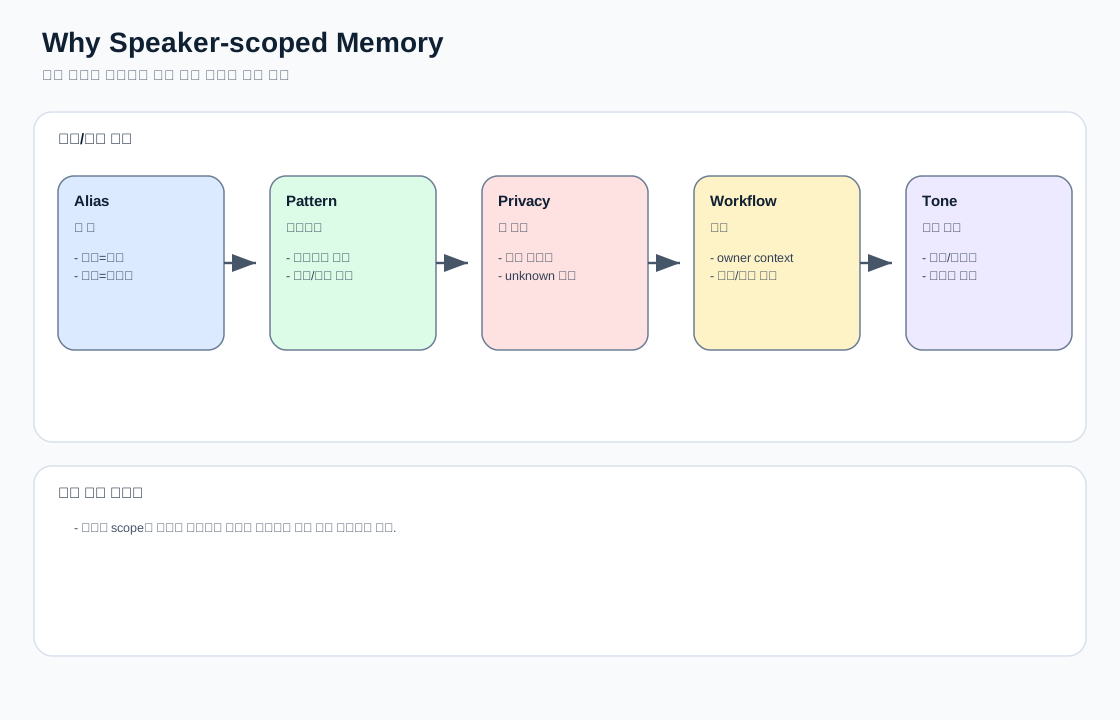
예시:
- 아빠가 “내 방 청정해줘”라고 말할 때의 “내 방”과 아이가 말할 때의 “내 방”은 다를 수 있다.
- 엄마가 “평소처럼 예약해줘”라고 말할 때의 평소 패턴은 다른 가족 구성원과 다를 수 있다.
- unknown speaker에게는 개인 일정, 이전 대화, 선호 공간을 노출하면 안 된다.
- 복합명령이 진행 중일 때 다른 사람이 “그거 취소해”라고 말하면 workflow owner 확인이 필요하다.
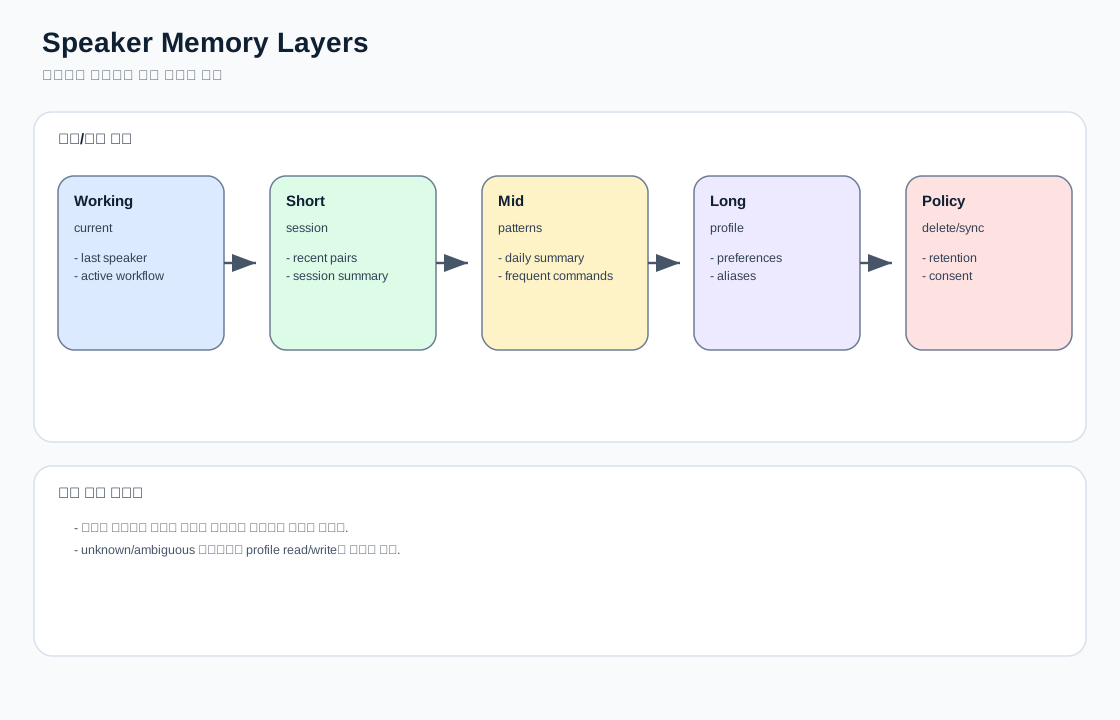
2. 메모리 계층
| 계층 | 보관 내용 | speaker scope 필요성 |
|---|---|---|
| Working memory | 현재 턴, active workflow, last speaker | 후속 발화 owner 유지 |
| Short-term memory | 최근 대화 pair, 세션 요약 | 사용자별 대화 흐름 분리 |
| Mid-term memory | 일/주 단위 요약, 자주 쓰는 기능 | 사용자별 패턴 분석 |
| Long-term profile | 선호 공간, 선호 모드, 권한/보호자 설정 | 개인화와 권한 정책 |
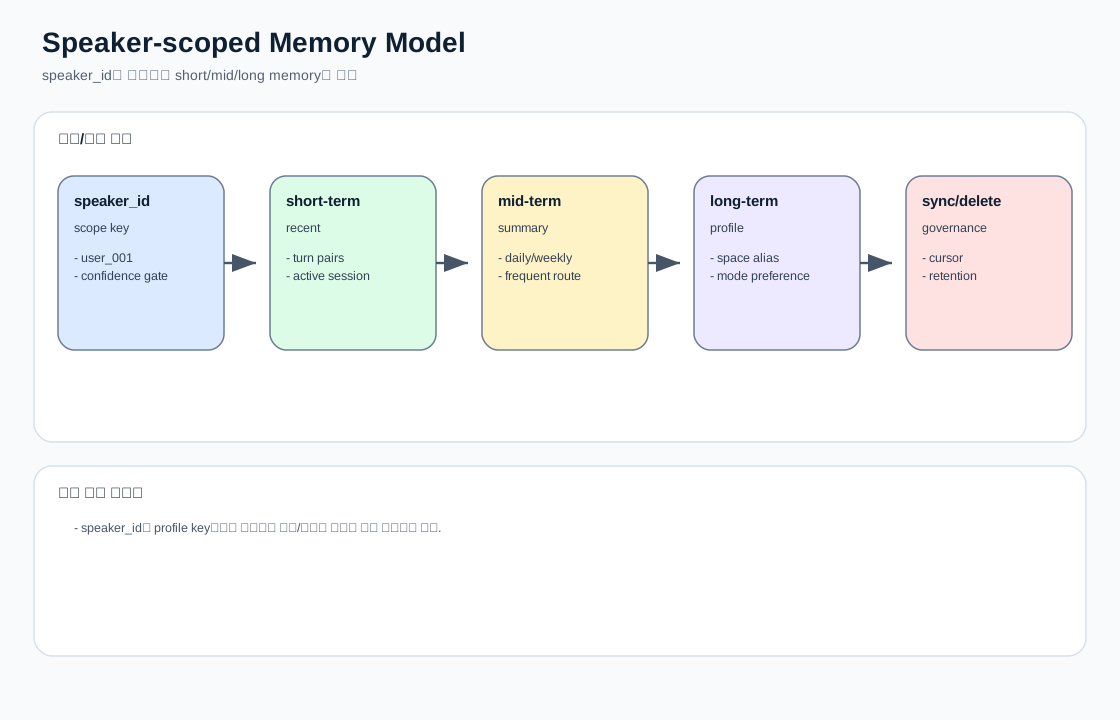
2-1. speaker_id와 person_id의 역할 분리
| 기준 | 역할 | memory 정책 |
|---|---|---|
speaker_id |
현재 발화 주체 추정 evidence | working/short-term attribution |
person_id |
서비스 사용자 프로필 | mid/long-term memory, preference, authority |
vital_face_id |
바이탈 사인 이력 scope | 건강 이력 요약 시 참조 |
external_identity |
Google/Apple 등 외부 서비스 scope | 일정/루틴 연동 시 참조 |
권장:
- short-term turn에는
speaker_id와person_id를 모두 남긴다. person_id가 없으면 long-term profile write를 금지한다.identity_link_state가linked또는verified가 아니면 개인화 memory read/write를 제한한다.
3. 온디바이스 기록 구조와 확장
현재 UI 근거:
SpeakerListActivity.kt
SpeakerHistoryActivity.kt
filesDir/speaker_id/{speakerName}/history.txt
현재 history.txt는 session 배열과 turn 목록을 표시하는 구조로 사용된다.
확장 방향:
{
  "speaker_id": "user_001",
  "display_name": "아빠",
  "sessions": [
    {
      "session_id": "sess_001",
      "time": "2026-07-07T10:00:00+09:00",
      "turns": [
        {
          "user": "거실 청정해줘",
          "assistant": "거실 청정을 시작할게요.",
          "route_family": "ODL",
          "speaker_confidence": 0.76
        }
      ]
    }
  ]
}
4. Cloud memory_context 확장
현재 Cloud memory_context.py는 short_term, mid_term, long_term, sync를 정규화한다.
speaker-aware 확장 후보:
{
  "memory_context": {
    "contract_version": "a2a-memory-context-v1",
    "current_turn_priority": "required",
    "speaker_scope": {
      "speaker_id": "user_001",
      "person_id": "person_001",
      "identity_link_state": "linked",
      "speaker_confidence": 0.72,
      "personalization_allowed": true
    },
    "short_term": {
      "recent_pairs": []
    },
    "long_term": {
      "profile_items": [
        {
          "speaker_id": "user_001",
          "person_id": "person_001",
          "key": "preferred_cleaning_space",
          "value": "안방"
        }
      ]
    }
  }
}
5. memory_update 확장
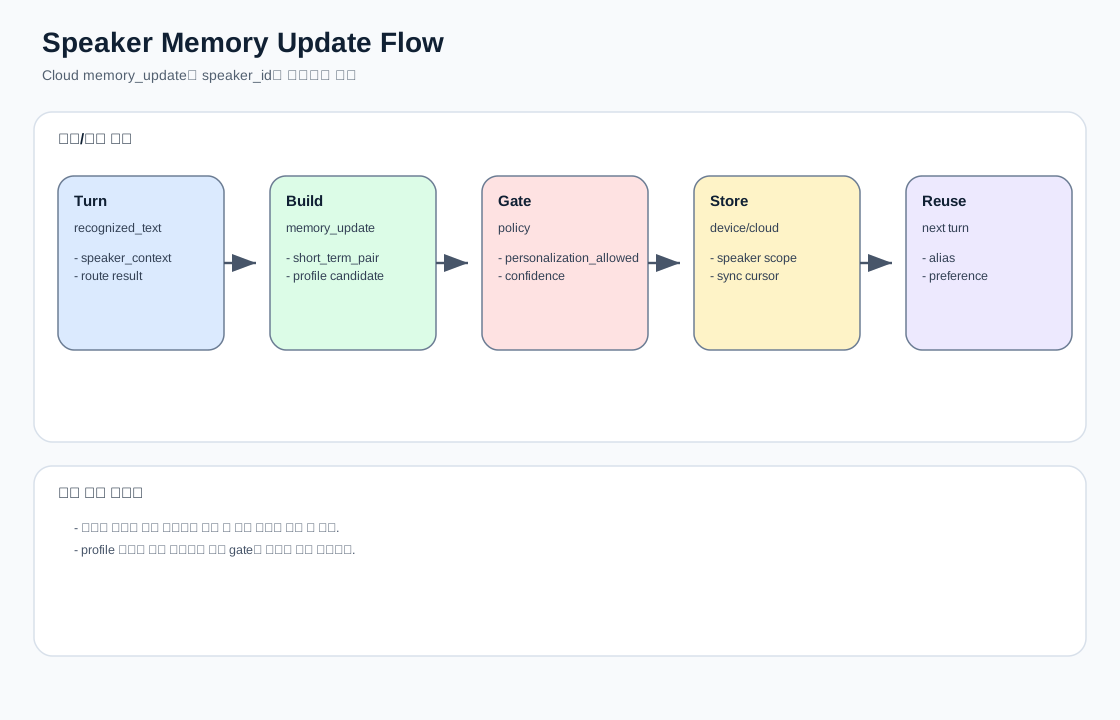
현재 build_memory_update()는 short_term_pair와 profile_candidates를 만든다. 여기에 speaker_id를 붙이면 Cloud/Device 양쪽에서 사용자별 기록 분리가 가능하다.
권장 후보:
{
  "memory_update": {
    "write_candidates": {
      "short_term_pair": {
        "speaker_id": "user_001",
        "person_id": "person_001",
        "identity_link_state": "linked",
        "user_text": "내 방 청정해줘",
        "assistant_text": "안방 청정을 시작할게요.",
        "route_family": "ODL",
        "workflow_id": "wf_001"
      },
      "profile_candidates": [
        {
          "speaker_id": "user_001",
          "person_id": "person_001",
          "type": "preference",
          "key": "my_room_alias",
          "value": "안방",
          "confidence": "medium"
        }
      ]
    }
  }
}
6. 메모리 사용 정책
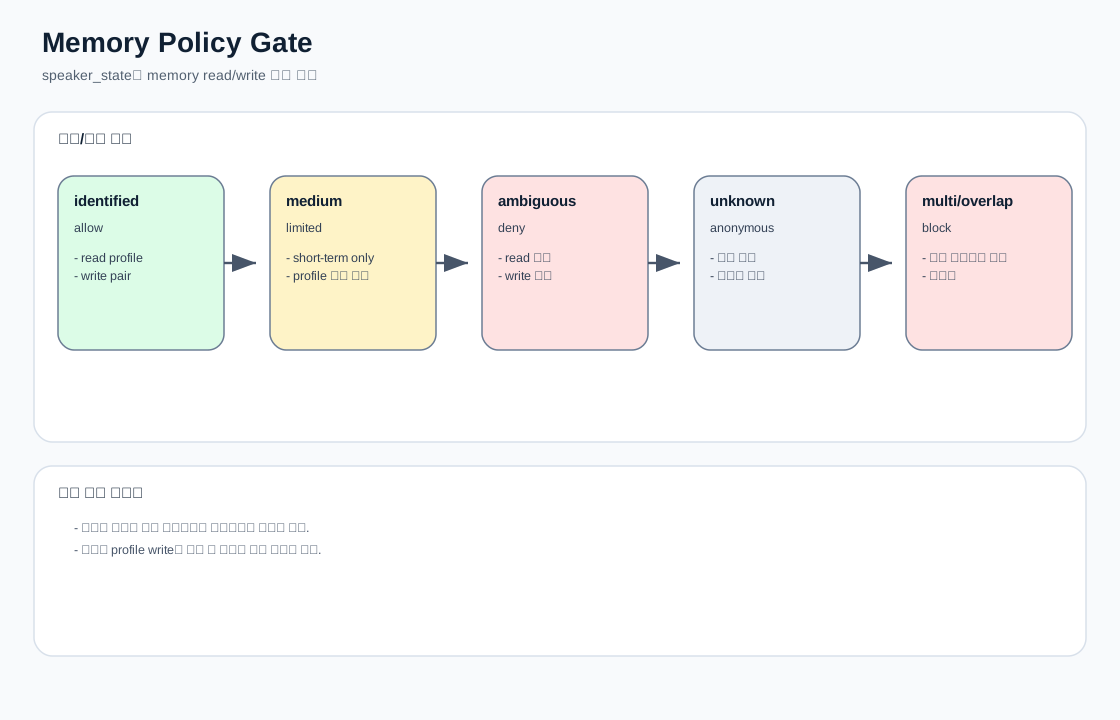
| 조건 | 메모리 읽기 | 메모리 쓰기 | 이유 |
|---|---|---|---|
identified, confidence high |
허용 | 허용 | 사용자별 개인화 가능 |
identified, confidence medium |
제한 허용 | short-term만 | 오인식 리스크 |
ambiguous |
금지 | 금지 또는 shadow | 잘못된 사용자 기록 오염 방지 |
unknown |
금지 | 공통 anonymous 세션만 | 개인정보 보호 |
multi_speaker/overlap |
금지 | 금지 | 누가 말했는지 불명확 |
추가로, 개인 바이탈/외부 계정/장기 profile에 접근하려면 아래 조건이 필요하다.
speaker_state == identified
identity_link_state in linked, verified
person_id present
consent_scope for requested domain == true
multi_speaker/overlap == false
7. 서비스 예시
예시 A: 사용자별 공간 alias
아빠: "내 방 청정해줘" -> 안방
아이: "내 방 청정해줘" -> 아이방
예시 B: 사용자별 반복 패턴
엄마: "평소처럼 예약해줘" -> 평일 오전 8시 전체청정
아빠: "평소처럼 예약해줘" -> 밤 10시 나이트모드
예시 C: unknown speaker 보호
unknown: "내 기록 보여줘" -> 개인 기록은 확인할 수 없다는 안내
8. 구현 순서
speaker_context를voice_context에 추가한다.- 온디바이스에서 speaker별 short-term history schema를 고정한다.
- Cloud
memory_context에speaker_scope를 추가한다. build_memory_update()에speaker_id를 포함한다.- confidence/safety gate에 따라 memory read/write를 제한한다.
- 삭제/동기화/retention 정책을 별도 문서로 분리한다.